BCA-2005T (For theory)
BCA-2005P (For practical)
SEC-III – Web Technologies
1L+T: 2P
2 Credits (15 hours theory and 30 hours practical)
Max Marks:
Theory: 100 (Int: 25; Ext: 75)
Practical: 100
Course Outcomes: Upon completion of the course, students will be able to
CO1: Understand the concepts of webpage, mark up language along with CSS.
CO2: Understand the core concepts of JavaScript including functions, events, DOM manipulation, and form validation.
CO3: Apply AJAX, XML, and JSON to create dynamic and interactive web applications.
Unit I
Introduction to HTML
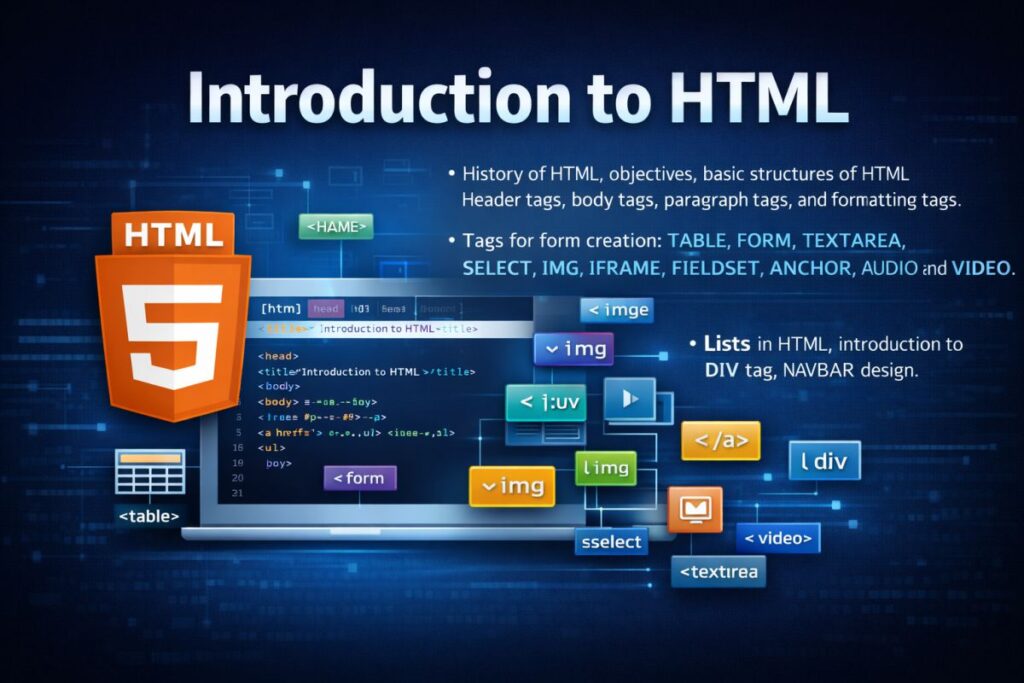
History of HTML, objectives, basic structures of HTML, header tags, body tags, paragraph tags, and formatting tags.
Tags for form creation: TABLE, FORM, TEXTAREA, SELECT, IMG, IFRAME, FIELDSET, ANCHOR, AUDIO, and VIDEO.
Lists in HTML, introduction to the DIV tag, NAVBAR design.
Introduction to CSS
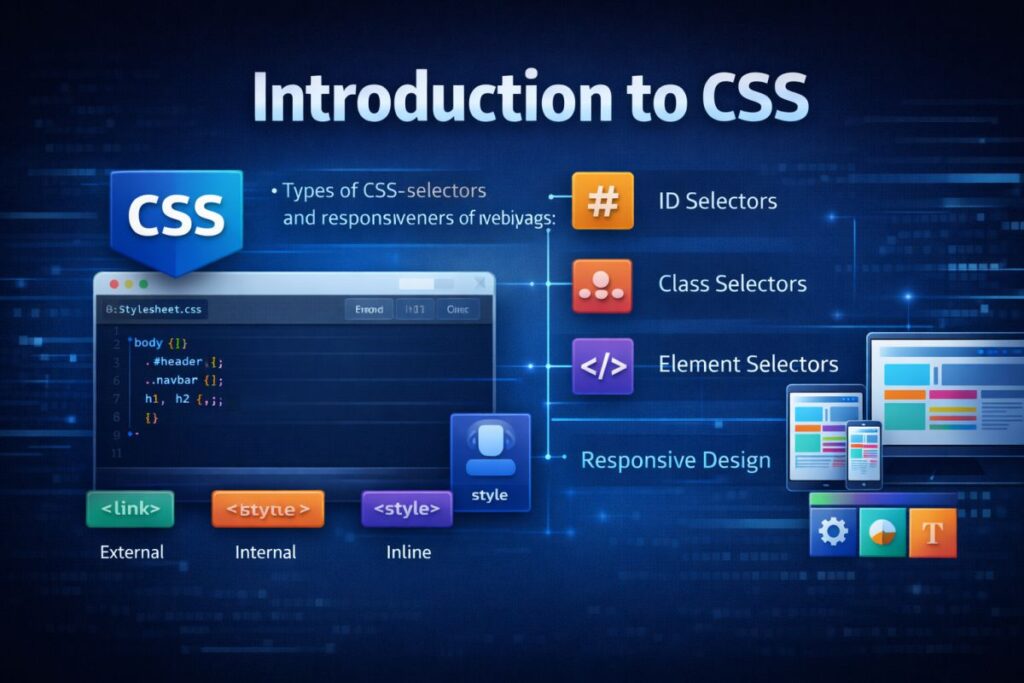
Types of CSS, selectors, and responsiveness of a web page.
Introduction to Bootstrap
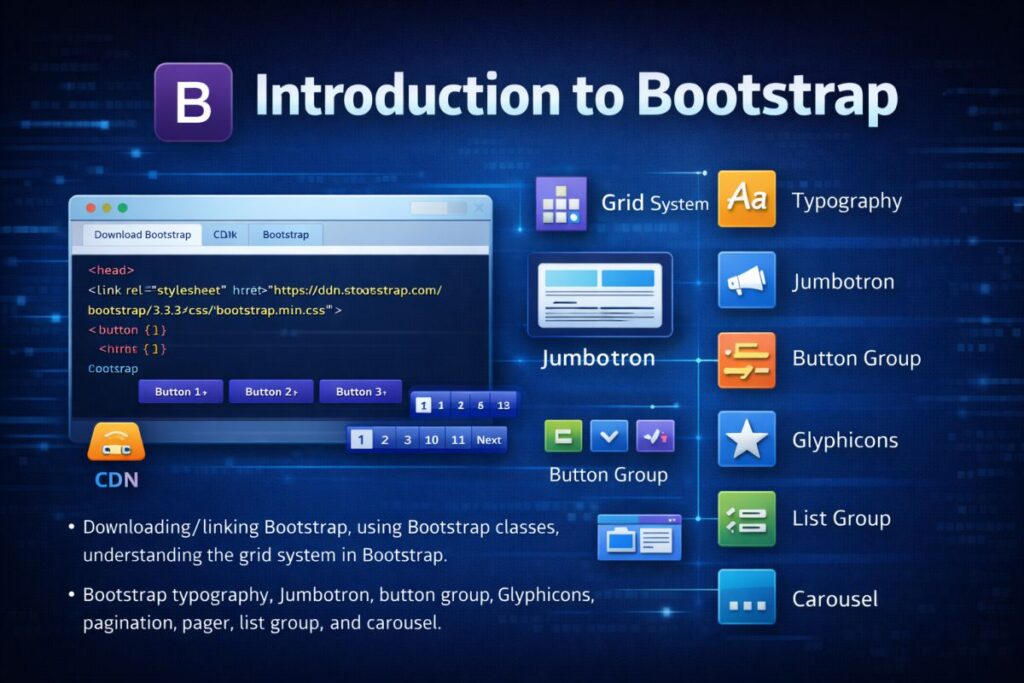
Downloading/linking Bootstrap, using Bootstrap classes, understanding the grid system in Bootstrap.
Bootstrap typography, Jumbotron, button group, Glyphicons, pagination, pager, list group, and carousel.
Introduction to WWW
Protocols and programs, applications and development tools, web browsers, DNS, web hosting providers.
Setting up Windows/Linux/Unix web servers, web hosting in the cloud, and types of web hosting.
Unit II
Introduction to JavaScript
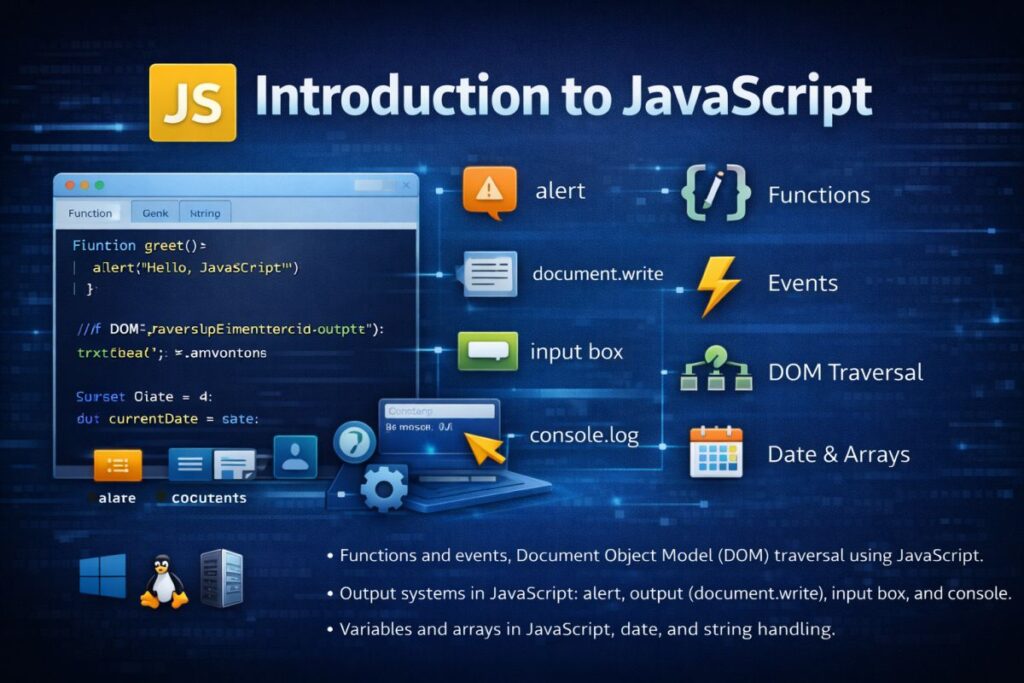
Functions and events, Document Object Model (DOM) traversal using JavaScript.
Output systems in JavaScript: alert, throughput, input box, and console.
Variables and arrays in JavaScript, date, and string handling.
Manipulating CSS through JavaScript
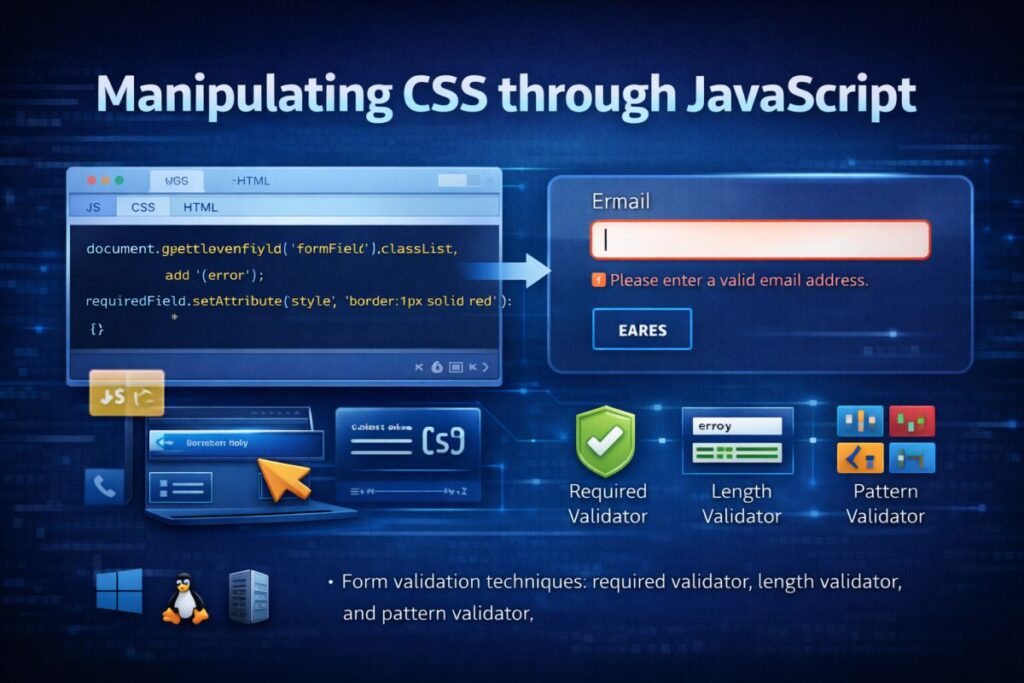
Form validation techniques: required validator, length validator, and pattern validator.
Advanced JavaScript
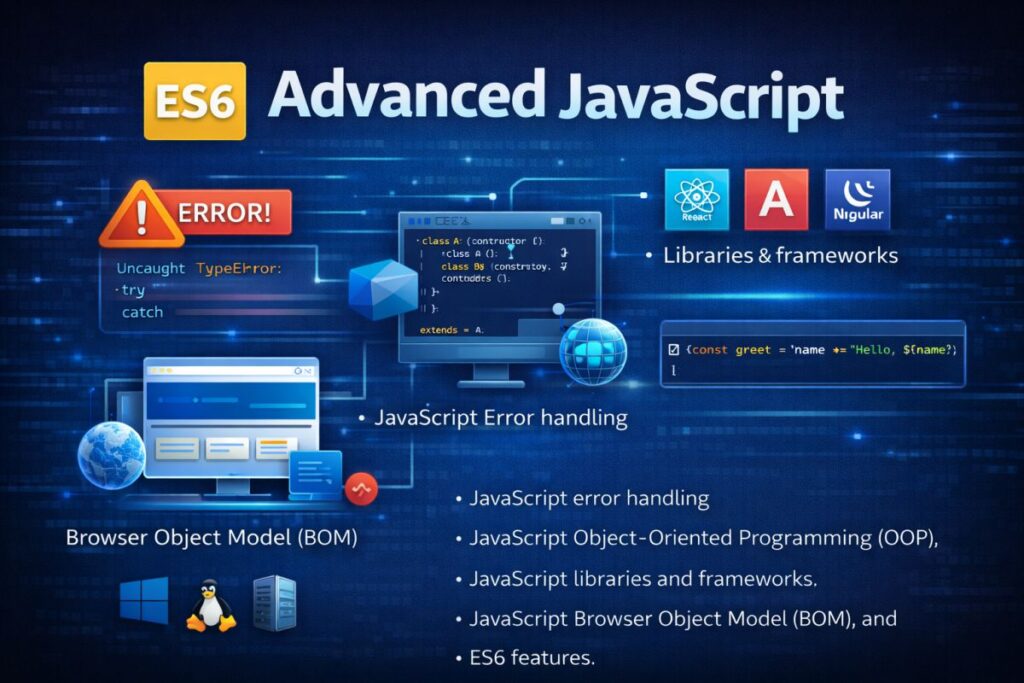
JavaScript error handling, JavaScript Object-Oriented Programming (OOP), JavaScript libraries and frameworks, JavaScript Browser Object Model (BOM), and ES6 features.
Combining HTML, CSS, and JavaScript
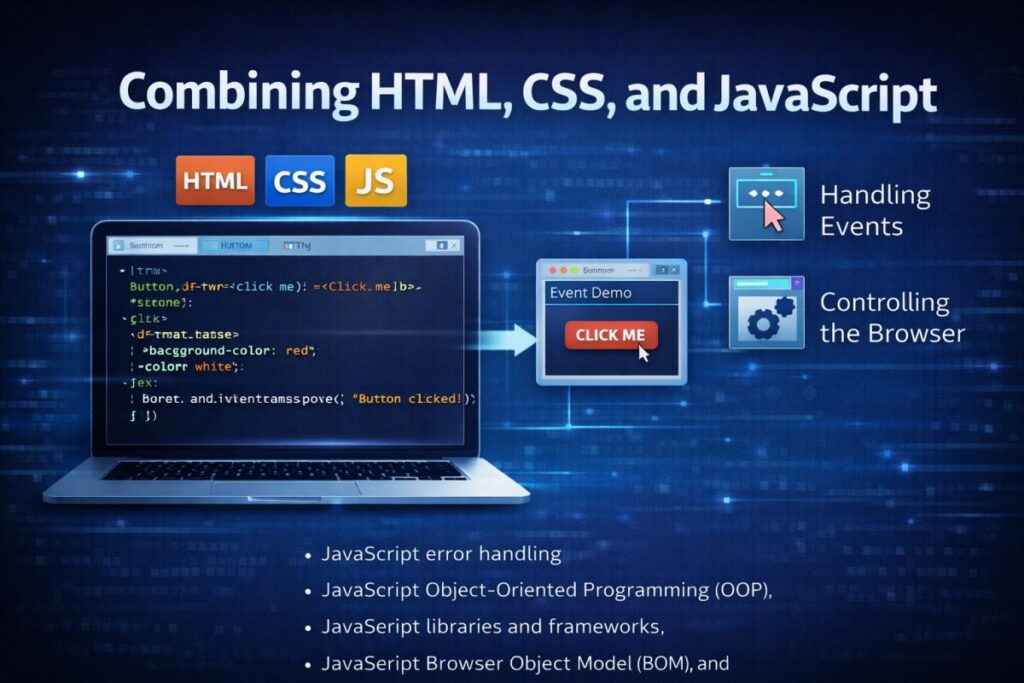
Handling events and buttons, controlling the browser.
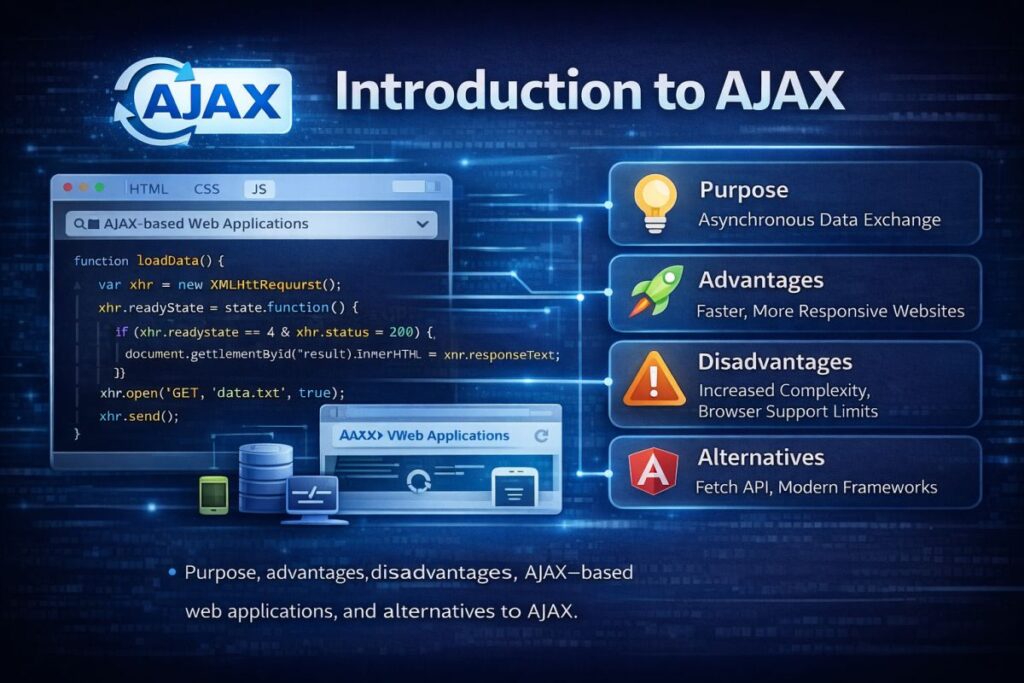
Introduction to AJAX
Purpose, advantages, disadvantages, AJAX-based web applications, and alternatives to AJAX.
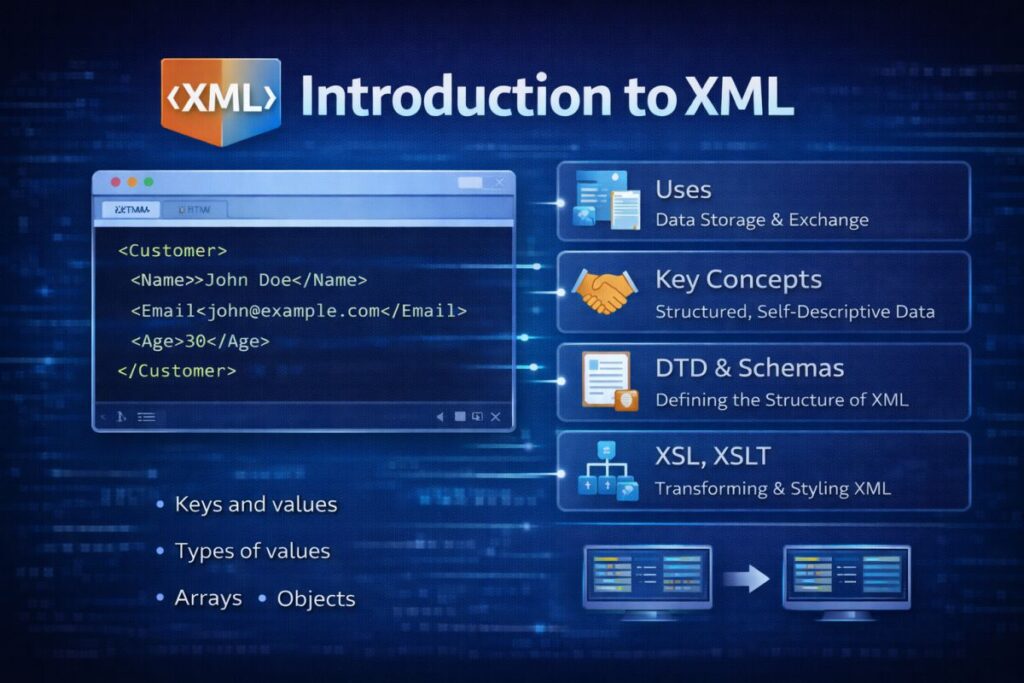
Introduction to XML
Uses, key concepts, DTD & schemas, XSL, XSLT, XSL elements, and transforming XML using XSLT.
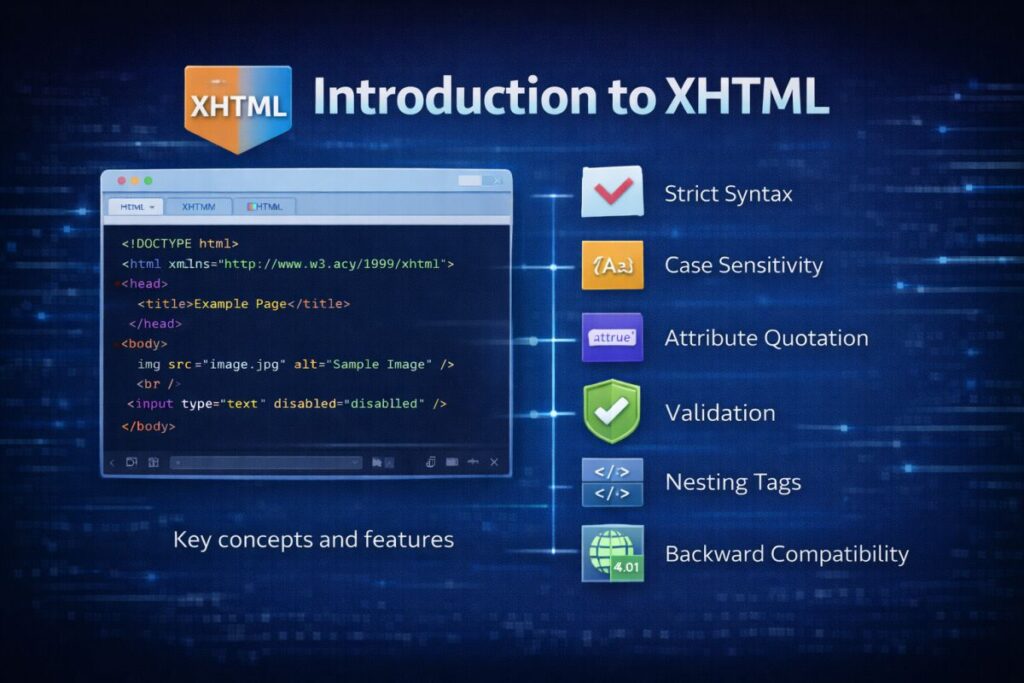
Introduction to XHTML
Key concepts and features.
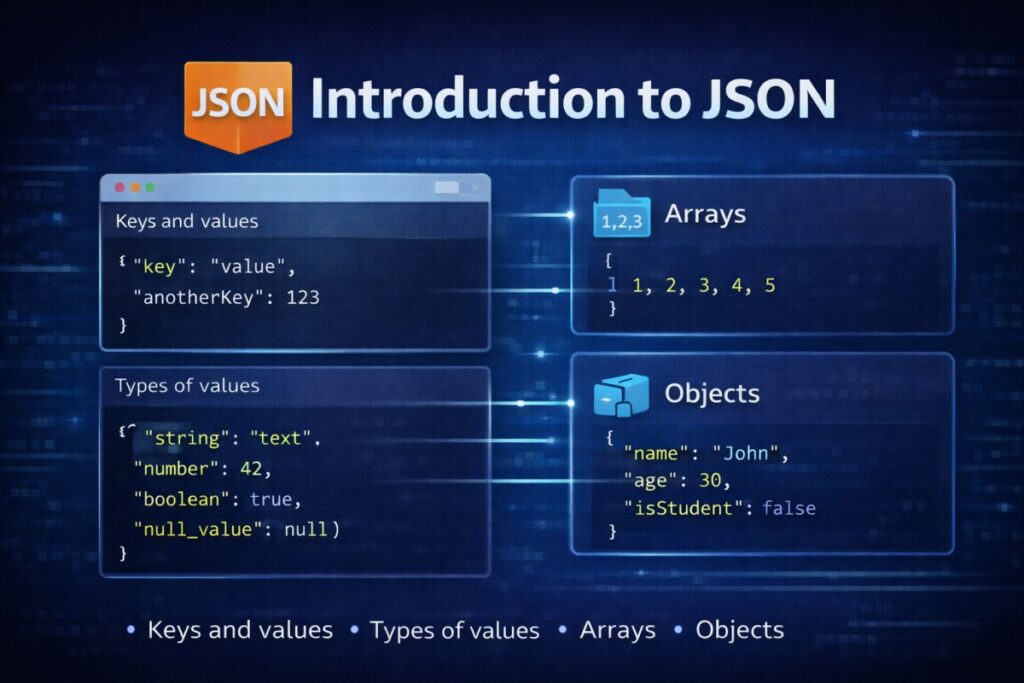
Introduction to JSON
Keys and values, types of values, arrays, and objects.

Lab Programs
Part – A
- Create your class time table using table tag.
- Design a Webpage for your college containing a description of courses, departments, faculties, library, etc., using list tags, href tags, and anchor tags.
- Create a web page using Frame with rows and columns where you will have a header frame, left frame, right frame, and status bar frame. On clicking in the left frame, information should be displayed in the right frame.
- Create your resume using HTML, using text, link, size, color, and lists.
- Create a Web Page of a supermarket using internal CSS.
- Use inline CSS to format the resume that you have created.
- Use external CSS to format your timetable created.
- Use all the CSS (inline, internal, and external) to format the college web page that you have created.
- Write an HTML program to create your college website for mobile devices.
Part – B
- Write an HTML/JavaScript page to create a login page with validations.
- Develop a simple calculator for addition, subtraction, multiplication, and division operations using JavaScript.
- Use regular expressions for validations in the login page using JavaScript.
- Write a program to retrieve data from a text file and display it using AJAX.
- Create an XML file to store Student Information like Register Number, Name, Mobile Number, DOB, and Email-ID.
- Create a DTD for the XML file created.
- Create an XML schema for the XML file created.
- Create an XSL file to convert the XML file to an XHTML file.
- Write a JavaScript program using a switch case.
- Write a JavaScript program using any five events.
- Write a JavaScript program using built-in JavaScript objects.
- Write a program for populating values from JSON text.
- Write a program to transform JSON text into a JavaScript object.
UNIT - I
Introduction to HTML
🌐 What is HTML?
HTML stands for HyperText Markup Language. It is the standard markup language used to create and structure web pages.
HTML defines the structure of a webpage using elements (tags). It works together with:
CSS → for styling
JavaScript → for interactivity
🕰 History of HTML
HTML was developed by Tim Berners-Lee in 1989 while working at CERN.
Major Versions:
| Year | Version | Key Features |
|---|---|---|
| 1991 | HTML | Basic structure & text formatting |
| 1995 | HTML 2.0 | Forms introduced |
| 1997 | HTML 3.2 | Tables support |
| 1999 | HTML 4.01 | CSS & scripting support |
| 2000 | XHTML | Strict XML-based version |
| 2014 | HTML5 | Multimedia & semantic elements |
HTML5 is the current standard.
🎯 Objectives of HTML
The main objectives of HTML are:
To structure web content
To link web documents (hypertext concept)
To display multimedia content
To create forms for user interaction
To support platform independence
To integrate with CSS and JavaScript
🏗 Basic Structure of HTML
Every HTML document follows a standard structure:
<!DOCTYPE html>
<html>
<head>
<title>My Web Page</title>
</head>
<body>
Content goes here
</body>
</html>
Explanation:
<!DOCTYPE html>→ Declares HTML5<html>→ Root element<head>→ Contains metadata<title>→ Page title<body>→ Visible content
🏷 Header Tags
Header tags are used to define headings.
<h3>Section Heading</h3>
There are 6 heading levels: <h1> to <h6>.
📄 Paragraph Tag
Used to define paragraphs.
<p>This is a paragraph.</p>
✨ Formatting Tags
Used to format text.
| Tag | Purpose |
|---|---|
<b> | Bold |
<i> | Italic |
<u> | Underline |
<strong> | Important text |
<em> | Emphasized text |
<mark> | Highlight text |
<p><b>Bold</b> and <i>Italic</i> text</p>
📝 Tags for Form Creation
HTML provides various tags for creating forms and user input systems.
<form>
Defines a form.
<form>
Name: <input type=”text”>
</form>
<input>
Used for user input fields (text, password, email, etc.).
<textarea>
Used for multi-line input.
<textarea rows=”4″ cols=”30″></textarea>
<select>
Creates a dropdown list.
<select>
<option>Option 1</option>
<option>Option 2</option>
</select>
<fieldset>
Groups related form elements.
<fieldset>
<legend>Personal Info</legend>
</fieldset>
<table>
Used to create tables.
<table border=”1″>
<tr>
<th>Name</th>
<th>Age</th>
</tr>
<tr>
<td>Aman</td>
<td>21</td>
</tr>
</table>
<img>
Used to display images.
<img src=”image.jpg” alt=”Sample Image”>
<iframe>
Embeds another webpage.
<iframe src=”https://example.com”></iframe>
<a> (Anchor Tag)
Used to create hyperlinks.
<a href=”https://example.com”>Visit Website</a>
<audio>
Embeds audio content.
<audio controls>
<source src=”audio.mp3″>
</audio>
<video>
Embeds video content.
<video width=”320″ controls>
<source src=”video.mp4″>
</video>
📋 Lists in HTML
HTML supports three types of lists:
1️⃣ Ordered List
<ol>
<li>Item 1</li>
<li>Item 2</li>
</ol>
2️⃣ Unordered List
<ul>
<li>Item 1</li>
<li>Item 2</li>
</ul>
3️⃣ Definition List
<dl>
<dt>HTML</dt>
<dd>HyperText Markup Language</dd>
</dl>
📦 Introduction to the Tag
The <div> tag is used to group elements together.
It is commonly used for layout and styling.
<div>
<h2>Section Title</h2>
<p>Content here</p>
</div>
The <div> tag is used to group elements together.
It is commonly used for layout and styling.
<div>
<h2>Section Title</h2>
<p>Content here</p>
</div>
🧭 NAVBAR Design (Basic Example)
A navigation bar (navbar) is used for website navigation.
<nav>
<a href=”#”>Home</a>
<a href=”#”>About</a>
<a href=”#”>Contact</a>
</nav>
Using CSS, it can be styled horizontally.
🎯 Exam Important Points
- HTML stands for HyperText Markup Language.
- Developed by Tim Berners-Lee.
- HTML structure includes html, head, and body tags.
- Forms use form, input, textarea, select tags.
- Lists: ordered, unordered, definition.
- Div is used for grouping content.
- Anchor tag creates hyperlinks.
- HTML5 supports audio and video.
📘 Introduction to CSS
🌐 What is CSS?
CSS stands for Cascading Style Sheets.
It is used to control the appearance, layout, and design of web pages. While HTML provides structure, CSS makes the webpage visually attractive.
With CSS, you can control:
Colors
Fonts
Spacing
Layout
Alignment
Responsive behavior
🎯 Why CSS is Important
Separates content from design
Improves website appearance
Makes pages responsive
Reduces code repetition
Enhances user experience
🧩 Types of CSS
There are three types of CSS:
1️⃣ Inline CSS
CSS is written directly inside the HTML element using the style attribute.
Example:
Advantages:
Easy to use
Useful for quick styling
Disadvantages:
Not reusable
Makes code messy
2️⃣ Internal CSS
CSS is written inside the <style> tag within the <head> section.
Example:
<head>
<style>
p {
color: red;
font-size: 18px;
}
</style>
</head>
<body>
<p>This is a paragraph.</p>
</body>
</html>
Advantages:
Applies to the whole page
Better than inline CSS
Disadvantages:
Only works for one HTML page
3️⃣ External CSS
CSS is written in a separate .css file and linked to the HTML document.
Example:
HTML File:
style.css:
font-size: 16px;
}
Advantages:
Reusable
Cleaner code
Best practice in web development
🎯 CSS Selectors
Selectors are used to select HTML elements that you want to style.
1️⃣ Element Selector
Selects elements by tag name.
}
2️⃣ ID Selector
Selects an element with a specific id.
}
HTML:
<h1 id=“heading”>Title</h1>
3️⃣ Class Selector
Selects elements with a specific class.
.box {
background-color: yellow;
}
HTML:
<div class=“box”>Content</div>
4️⃣ Universal Selector
Selects all elements.
padding: 0;
}
5️⃣ Group Selector
Applies the same style to multiple elements.
}
📱 Responsiveness of a Web Page
Selectors are used to select HTML elements that you want to style.
🌍 What is Responsive Design?
Responsive design means that a website automatically adjusts its layout according to different screen sizes such as:
Mobile
Tablet
Laptop
Desktop
🔹 Why Responsiveness is Important
Improves user experience
Mobile-friendly design
Better SEO ranking
Works on all devices
Media Queries in CSS
Media queries are used to apply CSS rules based on screen size.
Example:
background-color: lightblue;
}
}
If the screen width is 600px or less, the background color changes.
Flexible Units
Responsive design uses:
%(percentage)emremvhvw
Instead of fixed units like px.
Responsive Images
height: auto;
}
📊 Summary Table
| Topic | Description |
|---|---|
| CSS | Used for styling web pages |
| Types of CSS | Inline, Internal, External |
| Selectors | Element, ID, Class, Universal |
| Responsiveness | Adjust layout for different devices |
| Media Queries | Apply styles based on screen size |
🎯 Exam Important Points
- CSS stands for Cascading Style Sheets.
- Three types: Inline, Internal, External.
- External CSS is best practice.
- Selectors are used to target HTML elements.
- Media queries make websites responsive.
- Responsive design improves mobile usability.
📝 Short Revision Notes
- CSS styles HTML pages.
- Three types of CSS.
- Selectors target elements.
- Media queries enable responsive design.
Introduction to Bootstrap
🌐 What is Bootstrap?
Bootstrap is a front-end framework used for designing responsive and mobile-first websites quickly and easily.
It includes:
Predefined CSS classes
JavaScript components
Grid system
Responsive utilities
Bootstrap reduces development time and ensures consistent design.
🎯Why Use Bootstrap?
Mobile-first design
Responsive layout
Pre-designed components
Cross-browser compatibility
Easy to use
Bootstrap was originally developed by Twitter.
📥 Downloading / Linking Bootstrap
There are two main ways to use Bootstrap:
1️⃣ Using CDN (Recommended Method)
You can link Bootstrap directly from a Content Delivery Network (CDN).
<link href=”https://cdn.jsdelivr.net/npm/bootstrap@5.3.2/dist/css/bootstrap.min.css” rel=”stylesheet”>
For JavaScript:
Advantages:
No need to download files
Fast loading
Easy setup
2️⃣ Downloading Bootstrap
Steps:
Go to the official website:
BootstrapDownload the ZIP file.
Extract and link the CSS and JS files manually.
Example:
🎨 Using Bootstrap Classes
Bootstrap provides predefined classes for styling.
Example:
<button class=“btn btn-primary”>Click Me</button>
Common classes:
containerrowcolbtntext-centerbg-primarycard
🧩 Understanding the Grid System
Bootstrap uses a 12-column grid system. It helps create responsive layouts.
Basic Grid Example
<div class=“col-md-6”>Left Side</div>
<div class=“col-md-6”>Right Side</div>
</div>
</div>
container→ Main wrapperrow→ Horizontal rowcol-md-6→ 6 columns (half width on medium screens)
🔹 Breakpoints in Bootstrap
| Class | Screen Size |
|---|---|
| col-sm | Small devices |
| col-md | Medium devices |
| col-lg | Large devices |
| col-xl | Extra large devices |
✍ Bootstrap Typography
Bootstrap provides ready-made typography classes.
Examples:
<p class=“fw-bold”>Bold text</p>
Common classes:
leadtext-primarytext-centerfw-boldtext-muted
🏗 Jumbotron
Jumbotron is used to highlight important content.
(Note: Removed in Bootstrap 5, but still important for exams.)
Example (Bootstrap 4 style):
<p>This is a Jumbotron.</p>
</div>
Purpose:
Display featured content
Highlight important announcements
🔘 Button Group
Used to group multiple buttons together.
<button class=“btn btn-primary”>Middle</button>
<button class=“btn btn-primary”>Right</button>
</div>
🎯 Glyphicons
Glyphicons are icon fonts used in Bootstrap 3.
Example:
Note:
Glyphicons are not included in Bootstrap 4 and 5 by default.
📄 Pagination
Used to create page navigation links.
<ul class=“pagination”>
<li class=“page-item”><a class=“page-link” href=“#”>1</a></li>
<li class=“page-item”><a class=“page-link” href=“#”>2</a></li>
</ul>
📌 Pager
Pager provides simple previous and next navigation.
Example (Bootstrap 3 style):
<li><a href=“#”>Next</a></li>
</ul>
📋 List Group
Used to create styled lists.
<li class=“list-group-item”>Item 2</li>
</ul>
🎞 Carousel
Carousel is used to create image sliders.
<div class=“carousel-item active”>
<img src=“image1.jpg” class=“d-block w-100”>
</div>
<div class=“carousel-item”>
<img src=“image2.jpg” class=“d-block w-100”>
</div>
</div>
</div>
Uses:
Image sliders
Banner sections
Featured content
📊 Summary Table
| Feature | Purpose |
|---|---|
| Grid System | Responsive layout |
| Typography | Styled text |
| Jumbotron | Highlight content |
| Button Group | Group buttons |
| Glyphicons | Icons |
| Pagination | Page navigation |
| List Group | Styled lists |
| Carousel | Image slider |
🎯 Exam Important Points
- Bootstrap is a front-end framework.
- It uses a 12-column grid system.
- CDN is the easiest way to use Bootstrap.
- Grid system ensures responsive design.
- Jumbotron highlights important content.
- Carousel creates image sliders.
- Pagination is used for page navigation.
📝 Short Revision Notes
- Bootstrap simplifies web design.
- Mobile-first framework.
- 12-column responsive grid.
- Predefined classes save time.
- Includes UI components like carousel and list groups.
Introduction to WWW (World Wide Web)
🌐 What is WWW?
The World Wide Web (WWW) is a system of interconnected web pages and resources that are accessed through the Internet using web browsers.
It was invented by Tim Berners-Lee in 1989.
WWW works on three main technologies:
- HTML (structure)
- URL (address)
- HTTP (communication protocol)
🌍 Components of WWW
- Web Browser
- Web Server
- Protocols
- DNS
Hosting
🔗 Protocols and Programs
🌐 What is a Protocol?
A protocol is a set of rules that allows communication between devices over the Internet.
🔹 Important Internet Protocols
1️⃣ HTTP (HyperText Transfer Protocol)
- Used to transfer web pages.
- Works between browser and server.
- Default port: 80
2️⃣ HTTPS (Secure HTTP)
- Secure version of HTTP.
- Uses encryption (SSL/TLS).
- Default port: 443
3️⃣ FTP (File Transfer Protocol)
Used to transfer files between computers.
4️⃣ SMTP (Simple Mail Transfer Protocol)
Used to send emails.
💻 Programs Used in WWW
- Web Browsers
- Web Servers
- FTP Clients
- Email Clients
🛠 Applications and Development Tools
Web development requires various tools.
🔹 Front-End Tools
- HTML
- CSS
- JavaScript
🔹 Back-End Tools
- PHP
- Python
- Node.js
- Java
🔹 Development Tools
- Code Editors (VS Code, Notepad++)
- Browsers (for testing)
- Local servers (XAMPP, WAMP)
🌐 Web Browsers
A web browser is software used to access websites.
Popular web browsers:
- Google Chrome
- Mozilla Firefox
- Microsoft Edge
- Safari
Functions of a Web Browser:
- Sends request to server
- Receives response
- Displays web page
🌎 DNS (Domain Name System)
DNS converts domain names into IP addresses.
Example:
- Domain:
www.google.com - IP Address: 142.250.182.14
DNS acts like a phonebook of the Internet.
Without DNS, we would need to remember IP addresses instead of names.
🏢 Web Hosting Providers
Web hosting providers store website files on servers so they can be accessed online.
Popular hosting providers:
- GoDaddy
- Hostinger
- Bluehost
- Amazon Web Services
🖥 Setting Up Web Servers
A web server stores and delivers web pages to users.
🔹 Web Server on Windows
- Install XAMPP or WAMP
- Start Apache server
- Place website files inside
htdocsfolder - Access via:
http://localhost
🔹 Web Server on Linux
Install Apache using terminal:
sudo apt install apache2Access via browser using server IP address.
🔹 Web Server on Unix
- Install Apache or Nginx
- Configure server settings
- Start service
Common Web Server Software:
- Apache
- Nginx
- IIS
☁ Web Hosting in the Cloud
Cloud hosting stores websites on multiple servers.
Example:
- Amazon Web Services
- Google Cloud
- Microsoft Azure
Advantages:
- High availability
- Scalability
- Better performance
- Pay-as-you-use model
🏷 Types of Web Hosting
🔹 1️⃣ Shared Hosting
- Multiple websites share one server.
- Low cost.
- Suitable for small websites.
🔹 2️⃣ VPS Hosting (Virtual Private Server)
- Virtual server environment.
- More control than shared hosting.
🔹 3️⃣ Dedicated Hosting
- Entire server dedicated to one website.
- High performance.
- Expensive.
🔹 4️⃣ Cloud Hosting
- Hosted on multiple connected servers.
- High scalability and reliability.
📊 Summary Table
| Topic | Description |
|---|---|
| WWW | System of interconnected web pages |
| HTTP | Transfers web pages |
| DNS | Converts domain to IP |
| Web Browser | Displays websites |
| Web Server | Stores website files |
| Shared Hosting | Multiple sites, low cost |
| Cloud Hosting | Scalable & reliable |
🎯 Exam Important Points
- WWW invented by Tim Berners-Lee.
- HTTP and HTTPS are communication protocols.
- DNS converts domain names to IP addresses.
- Web browsers display web pages.
- Apache and Nginx are web servers.
- Cloud hosting provides scalability.
- Types of hosting: Shared, VPS, Dedicated, Cloud.
📝 Short Revision Notes
- WWW = Web system accessed via Internet.
- Uses HTTP, DNS, and Web Browsers.
- Hosting stores website files.
- Cloud hosting is scalable and reliable.
UNIT - II
📘 Introduction to JavaScript
(Web Technologies – BCA 2nd Semester)
🌐 What is JavaScript?
JavaScript is a client-side scripting language used to make web pages interactive and dynamic.
It works together with:
- HTML → Structure
- CSS → Styling
- JavaScript → Interactivity
JavaScript runs inside the web browser.
🎯 Features of JavaScript
- Lightweight and fast
- Object-oriented
- Event-driven
- Cross-platform
- Case-sensitive
🔹 Functions in JavaScript
A function is a block of code designed to perform a specific task.
📌 Syntax:
}
📌 Example:
}
You can call a function like this:
🔹 Function with Parameters
}
🔔 Events in JavaScript
An event is an action that occurs in the browser.
Examples:
- Button click
- Mouse over
- Key press
- Page load
📌 Example of Event Handling
<script>
function showMessage() {
alert(“Button Clicked”);
}
</script>
Common Events:
onclickonmouseoveronkeydownonloadonsubmit
🌳 Document Object Model (DOM)
A function is a block of code designed to perform a specific task.
📌 What is DOM?
DOM stands for Document Object Model.
It represents an HTML document as a tree structure where each element is an object.
JavaScript can:
- Access elements
- Modify content
- Change styles
- Add or remove elements
🔹 DOM Traversal Using JavaScript
A function is a block of code designed to perform a specific task.
1️⃣ Accessing Elements
document.getElementsByTagName(“p”);
2️⃣ Changing Content
3️⃣ Changing CSS
4️⃣ Using Query Selector
document.querySelectorAll(“p”);
🖥 Output Systems in JavaScript
JavaScript provides different ways to display output.
🔹 1️⃣ alert()
Displays a popup message.
alert(“Welcome!”);
🔹 2️⃣ document.write() (Throughput Method)
Writes output directly to the webpage.
document.write(“Hello World”);
🔹 3️⃣ prompt() (Input Box)
Takes input from the user.
let name = prompt(“Enter your name:”);
🔹 4️⃣ console.log()
Displays output in the browser console.
console.log(“This is console output”);
📦 Variables in JavaScript
Variables store data values.
🔹 Declaration Keywords
varletconst
Example:
🔹 Rules for Variable Naming
- Must start with a letter,
_or$ - Cannot start with a number
- Case-sensitive
📊 Arrays in JavaScript
An array stores multiple values in a single variable.
Example:
Accessing array elements:
🔹 Array Methods
push()→ Add elementpop()→ Remove last elementlength→ Count elements
📅 Date Handling in JavaScript
JavaScript provides a built-in Date object.
console.log(today);
Common Methods:
getDate()getMonth()getFullYear()getHours()
Example:
🔤 String Handling in JavaScript
A string is a sequence of characters.
🔹 Common String Methods
lengthtoUpperCase()toLowerCase()substring()replace()
Example:
console.log(text.toUpperCase());
📊 Summary Table
| Topic | Description |
|---|---|
| Function | Block of reusable code |
| Event | Action triggered by user |
| DOM | Represents HTML as tree |
| alert() | Popup output |
| prompt() | User input box |
| Variables | Store values |
| Arrays | Store multiple values |
| Date | Handles date and time |
| Strings | Text data handling |
🎯 Exam Important Points
- JavaScript is a client-side scripting language.
- Functions perform specific tasks.
- Events respond to user actions.
- DOM allows manipulation of HTML elements.
- alert(), document.write(), prompt(), console.log() are output methods.
- Variables: var, let, const.
- Arrays store multiple values.
- Date object handles date and time.
📝 Short Revision Notes
- JS makes websites interactive.
- DOM connects JavaScript with HTML.
- Functions and events are core concepts.
- Variables and arrays store data.
- Date and string methods manipulate values.
📘 Manipulating CSS through JavaScript
📘 Form Validation Techniques
🧩 Manipulating CSS through JavaScript
🌐 Introduction
JavaScript can dynamically change the style of HTML elements. This allows developers to modify CSS properties based on user interaction or events.
This process is done using the DOM (Document Object Model).
🎯 Why Manipulate CSS Using JavaScript?
- To change styles dynamically
- To create interactive effects
- To respond to user actions
- To validate forms visually
- To build responsive UI behavior
🔹 Changing CSS Using JavaScript
1️⃣ Using the
stylePropertyYou can directly change CSS properties using the
.styleattribute.Example:
<p id=“text”>Hello World</p>
<button onclick=“changeColor()“>Change Color</button>
<script>
function changeColor() {
document.getElementById(“text”).style.color = “red”;
}
</script>✔ Here, JavaScript changes the text color to red when the button is clicked.
🔹 Changing Multiple CSS Properties
document.getElementById(“text”).style.backgroundColor = “yellow”;
document.getElementById(“text”).style.fontSize = “20px”;Note:
CSS property names use camelCase in JavaScript.Example:
background-color → backgroundColor
font-size → fontSize
🔹 Adding or Removing CSS Classes
Instead of modifying styles directly, we can add or remove CSS classes.
Example:
<style>
.highlight {
color: white;
background-color: blue;
}
</style>
<p id=“demo”>Sample Text</p>
<button onclick=“addClass()“>Add Style</button>
<script>
function addClass() {
document.getElementById(“demo”).classList.add(“highlight”);
}
</script>Useful Methods:
classList.add()classList.remove()classList.toggle()
This is a better and cleaner approach than inline styling.
📝 Form Validation Techniques
🌐 What is Form Validation?
Form validation ensures that user input is:
Correct
Complete
Secure
Validation can be done:
Using HTML5 attributes
Using JavaScript
🎯 Types of Form Validation
🔹 1️⃣ Required Validator
Ensures that a field is not empty.
✅ Using HTML5 Required Attribute
<input type=“text” required>✅ Using JavaScript
<input type=“text” id=“username”>
<button onclick=“validate()“>Submit</button>
<script>
function validate() {
let user = document.getElementById(“username”).value;
if (user === “”) {
alert(“Username is required”);
}
}
</script>✔ If the field is empty, a message is displayed.
🔹 2️⃣ Length Validator
Ensures input has a specific minimum or maximum length.
✅ Using HTML5
<input type=“password” minlength=“6” maxlength=“12”>✅ Using JavaScript
function validateLength() {
let password = document.getElementById(“password”).value;
if (password.length < 6) {
alert(“Password must be at least 6 characters long”);
}
}🔹 3️⃣ Pattern Validator
Ensures input matches a specific format (using Regular Expressions).
✅ Using HTML5 Pattern Attribute
<input type=“email” pattern=“[a-z0-9._%+-]+@[a-z0-9.-]+\.[a-z]{2,}$”>✅ Using JavaScript with Regular Expression
function validateEmail() {
let email = document.getElementById(“email”).value;
let pattern = /^[^ ]+@[^ ]+\.[a-z]{2,3}$/;
if (!pattern.test(email)) {
alert(“Enter a valid email address”);
}
}✔ If input does not match pattern, validation fails.
📊 Comparison of Validation Types
Validator Type Purpose Example Required Field must not be empty Name field Length Checks character count Password Pattern Checks input format Email
🎯 Advantages of Form Validation
- Prevents invalid data submission
- Improves user experience
- Reduces server load
- Enhances security
🧠 Best Practice
✔ Use HTML5 validation first
✔ Add JavaScript validation for advanced checks
✔ Provide clear error messages
✔ Highlight invalid fields using CSSExample of highlighting error:
document.getElementById(“username”).style.border = “2px solid red”;📌 Summary
JavaScript can manipulate CSS dynamically.
.styleproperty changes inline styles.classListis better for managing styles.Form validation ensures correct user input.
Three major validation types:
Required
Length
Pattern
🎯 Exam Important Points
- CSS can be manipulated using JavaScript DOM methods.
styleandclassListare used for styling changes.- Form validation improves data accuracy.
- Required validator checks empty fields.
- Length validator checks character count.
- Pattern validator uses regular expressions.
📝 Short Revision Notes
- JavaScript modifies CSS dynamically.
- Use
element.style.property. - Use
classListfor better practice. - Required, Length, and Pattern are main validators.
- Regular expressions are used for pattern validation.
📘 Advanced JavaScript
- This topic includes:
- JavaScript Error Handling
- JavaScript Object-Oriented Programming (OOP)
- JavaScript Libraries and Frameworks
- JavaScript Browser Object Model (BOM)
- ES6 Features
⚠ JavaScript Error Handling
🌐 What is Error Handling?
Error handling is the process of managing runtime errors in JavaScript to prevent the program from crashing.
🔹 Types of Errors
Syntax Error
Runtime Error
Logical Error
🔹 try…catch Statement
Used to handle errors.
Syntax:
try {
// code that may cause error
}
catch(error) {
// error handling code
}Example:
try {
let result = 10 / 0;
console.log(result);
}
catch(error) {
console.log(“An error occurred”);
}🔹 finally Block
Executes whether error occurs or not.
try {
console.log(“Try block”);
}
catch(error) {
console.log(“Error”);
}
finally {
console.log(“Always runs”);
}🔹 throw Statement
Used to create custom errors.
function checkAge(age) {
if (age < 18) {
throw “You must be 18 or older”;
}
}
🧩 JavaScript Object-Oriented Programming (OOP)
🌐 What is OOP?
OOP (Object-Oriented Programming) is a programming model based on objects.
JavaScript supports OOP concepts such as:
Objects
Classes
Inheritance
Encapsulation
🔹 Creating an Object
let student = {
name: “Aman”,
age: 21,
greet: function() {
console.log(“Hello”);
}
};🔹 Constructor Function
function Person(name, age) {
this.name = name;
this.age = age;
}🔹 ES6 Class Syntax
class Person {
constructor(name, age) {
this.name = name;
this.age = age;
}
greet() {
console.log(“Hello “ + this.name);
}
}🔹 Inheritance
class Student extends Person {
constructor(name, age, course) {
super(name, age);
this.course = course;
}
}
📚 JavaScript Libraries and Frameworks
🌐 What is a Library?
A library is a collection of pre-written JavaScript code.
Example:
jQuery
Used for:
DOM manipulation
Animations
AJAX
🌐 What is a Framework?
A framework provides a complete structure for building applications.
Examples:
React
Angular
Vue.js
Difference:
Library Framework You control flow Framework controls flow Smaller Larger structure
🌍 JavaScript Browser Object Model (BOM)
🌐 What is BOM?
BOM stands for Browser Object Model.
It allows JavaScript to interact with the browser.
🔹 Main BOM Objects
1️⃣ window
Represents browser window.
window.alert(“Hello”);2️⃣ location
Used to get or set URL.
console.log(window.location.href);3️⃣ navigator
Provides browser information.
console.log(navigator.userAgent);4️⃣ history
Controls browser history.
history.back();
🚀 ES6 Features (ECMAScript 2015)
ES6 introduced modern JavaScript improvements.
🔹 let and const
let name = “Aman”;
const age = 21;🔹 Arrow Functions
const greet = () => {
console.log(“Hello”);
};🔹 Template Literals
let name = “Aman”;
console.log(`Hello ${name}`);🔹 Destructuring
let person = {name: “Aman”, age: 21};
let {name, age} = person;🔹 Spread Operator
let arr1 = [1,2,3];
let arr2 = […arr1, 4,5];🔹 Default Parameters
function greet(name = “Guest”) {
console.log(name);
}
📊 Summary Table
| Topic | Purpose |
|---|---|
| Error Handling | Manage runtime errors |
| OOP | Object-based programming |
| Library | Pre-written JS code |
| Framework | Structured application development |
| BOM | Interact with browser |
| ES6 | Modern JS features |
🎯 Exam Important Points
- try…catch handles errors.
- throw creates custom errors.
- OOP includes objects, classes, inheritance.
- BOM interacts with browser window.
- ES6 introduced let, const, arrow functions, template literals.
- Libraries: jQuery.
- Frameworks: React, Angular, Vue.
📝 Short Revision Notes
- Error handling prevents crashes.
- OOP organizes code using objects and classes.
- BOM controls browser features.
- ES6 modernized JavaScript.
- Libraries simplify tasks.
- Frameworks provide structure.
📘 Combining HTML, CSS, and JavaScript
(Web Technologies – BCA 2nd Semester)
This topic includes:
- Integration of HTML, CSS, and JavaScript
- Handling events and buttons
- Controlling the browser
🌐 Introduction
Modern web development is based on the integration of three core technologies:
| Technology | Purpose |
|---|---|
| HTML | Structure |
| CSS | Styling |
| JavaScript | Interactivity |
When combined, they create dynamic and responsive web applications.
🧩 How HTML, CSS, and JavaScript Work Together
- HTML creates page structure.
- CSS styles the content.
- JavaScript adds behavior and interactivity.
- 🔹 Basic Combined Example
<!DOCTYPE html>
<html>
<head>
<style>
#message {
color: blue;
font-size: 20px;
}
</style>
</head>
<body>
<h2 id=”message”>Welcome</h2>
<button onclick=”changeText()”>Click Me</button>
<script>
function changeText() {
document.getElementById(“message”).innerHTML = “Hello Student!”;
document.getElementById(“message”).style.color = “red”;
}
</script>
</body>
</html>
✔ HTML creates structure
✔ CSS styles text
✔ JavaScript changes content and style dynamically
🔔 Handling Events in JavaScript
🌐 What is an Event?
An event is an action performed by the user or browser.
Examples:
- Clicking a button
- Submitting a form
- Hovering over an element
- Loading a page
🔹 Common JavaScript Events
| Event | Description |
|---|---|
| onclick | When element is clicked |
| onmouseover | When mouse moves over element |
| onmouseout | When mouse leaves element |
| onkeydown | When key is pressed |
| onload | When page loads |
| onsubmit | When form is submitted |
🔘 Handling Button Events
Buttons are commonly used to trigger actions.
<button onclick=”showAlert()”>Click Me</button>
<script>
function showAlert() {
alert(“Button was clicked!”);
}
</script>
🔹 Example: Changing CSS on Button Click
<p id=”demo”>Sample Text</p>
<button onclick=”changeStyle()”>Change Style</button>
<script>
function changeStyle() {
document.getElementById(“demo”).style.backgroundColor = “yellow”;
}
</script>
🎛 Advanced Event Handling (addEventListener)
Instead of inline events, we can use addEventListener().
<button id=”btn”>Click</button>
<script>
document.getElementById(“btn”).addEventListener(“click”, function() {
alert(“Event triggered”);
});
</script>
✔ This is a cleaner and recommended method.
🌍 Controlling the Browser (Using BOM)
JavaScript can control browser behavior using the Browser Object Model (BOM).
🔹 The window Object
Represents the browser window.
window.alert(“Hello”);
🔹 Opening a New Window
🔹 Redirecting to Another Page
🔹 Reloading the Page
🔹 Navigating Browser History
📌 Practical Example: Full Integration
<!DOCTYPE html>
<html>
<head>
<style>
body {
text-align: center;
}
.box {
width: 200px;
height: 100px;
background-color: lightblue;
margin: 20px auto;
}
</style>
</head>
<body>
<div class=”box” id=”box”></div>
<button id=”colorBtn”>Change Color</button>
<script>
document.getElementById(“colorBtn”).addEventListener(“click”, function() {
document.getElementById(“box”).style.backgroundColor = “green”;
});
</script>
This example demonstrates:
HTML structure
CSS styling
JavaScript event handling
</body>
</html>
This example demonstrates:
- HTML structure
- CSS styling
- JavaScript event handling
🎯 Advantages of Combining HTML, CSS, and JavaScript
- Creates dynamic websites
- Improves user interaction
- Enhances UI design
- Enables responsive behavior
- Provides real-time updates
📊 Summary Table
| Concept | Purpose |
|---|---|
| HTML | Structure |
| CSS | Design |
| JavaScript | Behavior |
| Event | User interaction |
| Button | Trigger action |
| BOM | Control browser |
🎯 Exam Important Points
- HTML, CSS, and JavaScript together build dynamic web pages.
- Events respond to user actions.
- Buttons trigger JavaScript functions.
- addEventListener() is preferred for event handling.
- window object controls browser behavior.
- location and history are part of BOM.
📝 Short Revision Notes
- HTML + CSS + JS = Complete Web Application
- Events trigger functions
- Buttons control actions
- BOM manages browser
- Use addEventListener for clean coding
📘 Introduction to AJAX
(Web Technologies – BCA 2nd Semester)
🌐 What is AJAX?
- AJAX stands for Asynchronous JavaScript and XML.
- AJAX is a technique used to send and receive data from a server without reloading the entire web page.
It improves user experience by making web applications faster and more dynamic.
🧠 Meaning of Asynchronous
- Synchronous → Page waits for server response (full reload).
- Asynchronous → Page continues working while data loads in background.
AJAX works in the background and updates only a part of the webpage.
⚙ How AJAX Works
AJAX uses:
- HTML (structure)
- CSS (design)
- JavaScript (logic)
- DOM (update content)
- XMLHttpRequest / Fetch API (server communication)
🔄 AJAX Working Process
- User performs an action (click/search).
- JavaScript sends request to server.
- Server processes request.
- Server sends response.
- JavaScript updates page without reload.
🔹 Basic AJAX Example (Using XMLHttpRequest)
<button onclick=”loadData()”>Load Data</button>
<p id=”demo”></p>
<script>
function loadData() {
let xhttp = new XMLHttpRequest();
xhttp.onreadystatechange = function() {
if (this.readyState == 4 && this.status == 200) {
document.getElementById(“demo”).innerHTML = this.responseText;
}
};
xhttp.open(“GET”, “data.txt”, true);
xhttp.send();
}
</script>
✔ This loads data without refreshing the page.
🔹 Modern AJAX Example (Using Fetch API)
<script>
fetch(“data.txt”)
.then(response => response.text())
.then(data => {
document.getElementById(“demo”).innerHTML = data;
});
</script>
✔ Fetch API is cleaner and modern.
🎯 Purpose of AJAX
- To create dynamic web applications
- To update content without reloading page
- To improve user experience
- To reduce server load
- To speed up web applications
✅ Advantages of AJAX
| Advantage | Explanation |
|---|---|
| Faster performance | No full page reload |
| Better user experience | Smooth interaction |
| Reduced bandwidth usage | Only partial data transfer |
| Asynchronous processing | Background communication |
| Interactive applications | Real-time updates |
❌ Disadvantages of AJAX
| Disadvantage | Explanation |
|---|---|
| Complex debugging | Harder to detect errors |
| Browser compatibility issues | Older browsers may not support |
| Security concerns | Exposed APIs |
| JavaScript dependency | Won’t work if JS disabled |
🌍 AJAX-Based Web Applications
Many modern web applications use AJAX.
Examples:
- Gmail → Loads emails without refreshing page
- Google Maps → Loads map data dynamically
- Facebook → Updates posts in real-time
AJAX is used in:
- Live search suggestions
- Online chat systems
- Form submission without reload
- Auto-saving content
🔄 Alternatives to AJAX
Although AJAX is widely used, modern alternatives exist.
🔹 1️⃣ Fetch API
Modern replacement for XMLHttpRequest.
.then(data => console.log(data));
🔹 2️⃣ Axios (JavaScript Library)
Popular HTTP client library.
🔹 3️⃣ WebSockets
Used for real-time communication (chat apps, live games).
🔹 4️⃣ Server-Side Rendering (SSR)
Frameworks like:
Next.js
Nuxt.js
Provide dynamic content loading.
📊 Summary Table
| Topic | Description |
|---|---|
| AJAX | Asynchronous JavaScript and XML |
| Purpose | Update page without reload |
| Advantage | Faster & interactive |
| Disadvantage | Complex debugging |
| Example Apps | Gmail, Google Maps |
| Alternative | Fetch API, WebSockets |
🎯 Exam Important Points
- AJAX stands for Asynchronous JavaScript and XML.
- It allows partial page updates.
- Uses XMLHttpRequest or Fetch API.
- Improves performance and user experience.
- Has advantages and disadvantages.
- Used in modern web applications.
📝 Short Revision Notes
- AJAX loads data without page reload.
- Asynchronous communication with server.
- Improves speed and usability.
- Fetch API is modern alternative.
📘 Introduction to XML
(Web Technologies – BCA 2nd Semester)
🌐 What is XML?
XML stands for Extensible Markup Language.
It is used to store and transport data in a structured format.
Unlike HTML (which displays data), XML focuses on describing and organizing data.
🎯 Features of XML
- Self-descriptive tags
- Platform independent
- Case-sensitive
- User-defined tags
- Structured and hierarchical
🧠 Example of XML
<?xml version=”1.0″?>
<student>
<name>Aman</name>
<course>BCA</course>
<year>2</year>
</student>
✔ XML allows you to create your own tags like <student>, <name>.
📌 Uses of XML
- Data storage
- Data exchange between systems
- Web services
- Configuration files
- RSS feeds
- Database data transfer
🔑 Key Concepts of XML
🔹 1️⃣ Elements
An element is defined by start and end tags.
<name>Aman</name>🔹 2️⃣ Attributes
Attributes provide additional information.
<student id=“101”>
<name>Aman</name>
</student>🔹 3️⃣ Root Element
Every XML document must have a single root element.
<students>
…
</students>🔹 4️⃣ Well-Formed XML Rules
Must have one root element
Tags must be properly closed
Tags are case-sensitive
Attribute values must be in quotes
📄 DTD (Document Type Definition)
🌐 What is DTD?
DTD defines the structure and legal elements of an XML document.
It specifies:
- Allowed elements
- Attributes
- Order of elements
🔹 Example of DTD
<!DOCTYPE student [
<!ELEMENT student (name, course)>
<!ELEMENT name (#PCDATA)>
<!ELEMENT course (#PCDATA)>
]>
✔ Ensures XML follows defined structure.
📘 XML Schema (XSD)
🌐 What is XML Schema?
XML Schema (XSD) is an advanced version of DTD.
It defines:
- Data types
- Structure
- Constraints
🔹 Example of XML Schema
<xs:element name=”student”>
<xs:complexType>
<xs:sequence>
<xs:element name=”name” type=”xs:string”/>
<xs:element name=”age” type=”xs:int”/>
</xs:sequence>
</xs:complexType>
</xs:element>
✔ More powerful than DTD
✔ Supports data types
🎨 XSL (Extensible Stylesheet Language)
XSL is used to style and transform XML documents.
It includes:
- XSLT (Transformation)
- XPath
- Formatting Objects
🔄 XSLT (Extensible Stylesheet Language Transformations)
🌐 What is XSLT?
XSLT is used to transform XML into:
- HTML
- Another XML
- Plain text
🔹 Basic XSLT Example
XML File (student.xml)
<students>
<student>
<name>Aman</name>
</student>
</students>
XSLT File (style.xsl)
<xsl:stylesheet version=”1.0″
xmlns:xsl=”http://www.w3.org/1999/XSL/Transform”>
<xsl:template match=”/”>
<html>
<body>
<h2>Student List</h2>
<xsl:for-each select=”students/student”>
<p><xsl:value-of select=”name”/></p>
</xsl:for-each>
</body>
</html>
</xsl:template>
</xsl:stylesheet>
✔ This converts XML data into HTML format.
🧩 Important XSL Elements
| Element | Purpose |
|---|---|
<xsl:template> | Defines transformation template |
<xsl:value-of> | Extracts value |
<xsl:for-each> | Loops through elements |
<xsl:if> | Conditional check |
<xsl:apply-templates> | Applies templates |
🔄 Transforming XML Using XSLT
Steps:
Create XML file
Create XSL file
Link XSL file to XML
Example (Linking):
When opened in browser, XML is transformed into formatted HTML.
📊 Difference Between DTD and XML Schema
| DTD | XML Schema |
|---|---|
| Basic structure definition | Advanced validation |
| No data types | Supports data types |
| Less powerful | More powerful |
📊 Summary Table
| Topic | Description |
|---|---|
| XML | Data storage and transport language |
| DTD | Defines structure |
| XML Schema | Defines structure + data types |
| XSL | Styles XML |
| XSLT | Transforms XML |
| XSL Elements | Template, value-of, for-each |
🎯 Exam Important Points
XML is used for storing and transporting data.
- XML is case-sensitive.
- DTD defines XML structure.
- XML Schema provides data validation.
- XSLT transforms XML into HTML.
- XSL elements include template, value-of, for-each.
📝 Short Revision Notes
- XML = Extensible Markup Language
- Used for data exchange
- DTD validates structure
- XML Schema supports data types
- XSLT transforms XML to HTML
📘 Introduction to XHTML
(Web Technologies – BCA 2nd Semester)
🌐 What is XHTML?
XHTML stands for Extensible HyperText Markup Language.
It is a stricter and cleaner version of HTML based on XML rules.
XHTML combines:
HTML (structure of web pages)
XML (strict syntax rules)
👉 XHTML ensures that web documents follow proper coding standards.
🎯 Why XHTML Was Introduced?
HTML had many syntax flexibility issues such as:
- Missing closing tags
- Case-insensitive tags
- Improper nesting
XHTML was introduced to:
- Make web pages more structured
- Follow strict syntax rules
- Improve compatibility with XML tools
🔑 Key Concepts of XHTML
🔹 1️⃣ XHTML Follows XML Rules
XHTML documents must be well-formed.
That means:
Proper closing of all tags
Proper nesting
Case-sensitive tags
🔹 2️⃣ Proper Tag Closing is Mandatory
❌ HTML Example (Allowed in old HTML):
✔ XHTML Example:
All tags must be closed.
Example:
🔹 3️⃣ Lowercase Tags Only
❌ Incorrect:
✔ Correct:
XHTML is case-sensitive.
🔹 4️⃣ Proper Nesting of Tags
❌ Incorrect:
✔ Correct:
Tags must be properly nested.
🔹 5️⃣ Attribute Values Must Be in Quotes
❌ Incorrect:
✔ Correct:
🔹 6️⃣ Mandatory Root Element
Every XHTML document must have one root <html> element.
🏗 Basic Structure of XHTML Document
<!DOCTYPE html PUBLIC “-//W3C//DTD XHTML 1.0 Strict//EN”
“http://www.w3.org/TR/xhtml1/DTD/xhtml1-strict.dtd”>
<html xmlns=“http://www.w3.org/1999/xhtml”>
<head>
<title>XHTML Example</title>
</head>
<body>
<h1>Welcome</h1>
<p>This is XHTML page.</p>
</body>
</html>
🌟 Features of XHTML
- Based on XML rules
- Strict syntax enforcement
- Case-sensitive tags
- Mandatory closing tags
- Proper nesting required
- Attribute values must be quoted
- Cleaner and well-structured code
📊 XHTML vs HTML
| HTML | XHTML |
|---|---|
| Flexible syntax | Strict syntax |
| Case-insensitive | Case-sensitive |
| Closing tags optional | Closing tags mandatory |
| Attributes may not require quotes | Quotes mandatory |
| More error-tolerant | Less error-tolerant |
📌 Types of XHTML
- XHTML 1.0 Strict
- XHTML 1.0 Transitional
- XHTML 1.0 Frameset
🎯 Advantages of XHTML
- Better code quality
- Improved browser compatibility
- Easier integration with XML tools
- Cleaner structure
❌ Disadvantages of XHTML
- Very strict rules
- Small syntax mistakes can break page
- Less flexible compared to HTML
📊 Summary Table
| Topic | Description |
|---|---|
| XHTML | HTML + XML |
| Purpose | Strict and structured web pages |
| Rules | Case-sensitive, closed tags |
| Advantage | Clean and well-formed |
| Disadvantage | Strict and less flexible |
🎯 Exam Important Points
- XHTML stands for Extensible HyperText Markup Language.
- It follows XML syntax rules.
- Tags must be properly closed.
- Case-sensitive language.
- Attributes must be in quotes.
- XHTML is stricter than HTML.
📝 Short Revision Notes
- XHTML = HTML based on XML rules.
- Strict syntax required.
- All tags must be closed.
- Case-sensitive language.
- Cleaner and structured coding.
📘 Introduction to JSON
(Web Technologies – BCA 2nd Semester)
🌐 What is JSON?
JSON stands for JavaScript Object Notation.
It is a lightweight data format used for storing and exchanging data between a client and a server.
JSON is:
Easy to read
Easy to write
Lightweight
Language-independent
Although derived from JavaScript, JSON is supported by almost all programming languages.
🎯 Why JSON is Important?
- Used in APIs
- Used in AJAX communication
- Used in modern web applications
- Faster and lighter than XML
- Easy to parse and generate
🧩 Structure of JSON
JSON data is written in:
Key–Value pairs
Surrounded by
{ }(curly braces)
🔑 Keys and Values in JSON
A JSON object contains key–value pairs.
Example:
{
“name”: “Aman”,
“course”: “BCA”,
“year”: 2
}Explanation:
"name"→ Key"Aman"→ ValueKeys must always be in double quotes
Values can be different data types
📦 Types of Values in JSON
JSON supports the following data types:
| Type | Example |
|---|---|
| String | “Hello” |
| Number | 25 |
| Boolean | true / false |
| Null | null |
| Object | { “key”: “value” } |
| Array | [1,2,3] |
🔹 Example with All Data Types
{
“name”: “Aman”,
“age”: 21,
“isStudent”: true,
“marks”: null
}
📚 JSON Objects
A JSON object is a collection of key–value pairs inside { }.
{
“student”: {
“name”: “Aman”,
“age”: 21,
“course”: “BCA”
}
}
Objects can be nested inside other objects.
📋 JSON Arrays
An array is a list of values inside [ ].
{
“subjects”: [“HTML”, “CSS”, “JavaScript”]
}
Arrays can contain:
- Strings
- Numbers
- Objects
- Mixed values
🔹 Array of Objects Example
{
“students”: [
{ “name”: “Aman”, “age”: 21 },
{ “name”: “Rahul”, “age”: 22 }
]
}
🔄 JSON and JavaScript
JSON is often converted into JavaScript objects.
🔹 Convert JSON Text to JavaScript Object
let obj = JSON.parse(jsonText);
console.log(obj.name);
🔹 Convert JavaScript Object to JSON
let jsonData = JSON.stringify(student);
console.log(jsonData);
📊 JSON vs XML
| JSON | XML |
|---|---|
| Lightweight | Heavier |
| Easy to read | Complex |
| Faster parsing | Slower parsing |
| Uses key–value pairs | Uses tags |
🌍 Uses of JSON
- API responses
- Data storage
- Configuration files
- Web applications
- Mobile applications
Modern applications like:
Use JSON for data communication.
📊 Summary Table
| Topic | Description |
|---|---|
| JSON | Data exchange format |
| Structure | Key–Value pairs |
| Data Types | String, Number, Boolean, Null, Object, Array |
| Object | Collection of key–value pairs |
| Array | Ordered list of values |
| Methods | JSON.parse(), JSON.stringify() |
🎯 Exam Important Points
- JSON stands for JavaScript Object Notation.
- Used for data exchange.
- Based on key–value pairs.
- Keys must be in double quotes.
- Supports string, number, boolean, null, object, and array.
- JSON.parse() converts JSON to object.
- JSON.stringify() converts object to JSON.
📝 Short Revision Notes
- JSON is lightweight data format.
- Uses { } for objects and [ ] for arrays.
- Keys must be in double quotes.
- Faster and simpler than XML.
- Widely used in APIs and AJAX.